
Can Hearing Aids Connect to Your Smartphone?
If you wear hearing aids, you may be able to connect them directly to your smartphone for calls, music, and more. Many modern devices offer Bluetooth connectivity, giving users more control over their listening experience. Understanding how hearing aids and smartphones work together can help you get more out of your hearing technology, whether you’re at home, at work, or out and about.
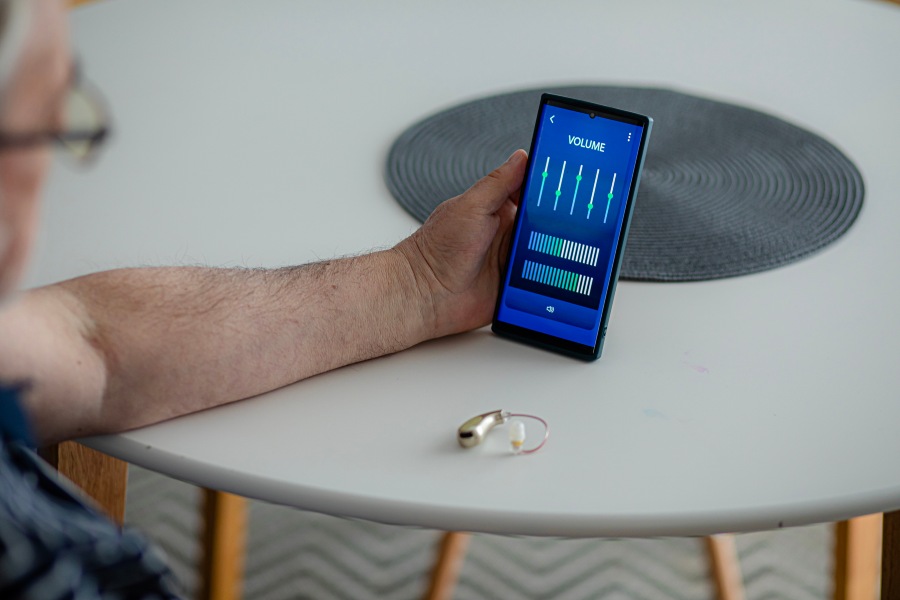
How Do Hearing Aids Connect to Smartphones?
Many newer hearing aids use Bluetooth or other wireless technology to communicate with compatible smartphones. Once paired, the devices may stream phone calls, music, podcasts, and other audio directly to your hearing aids. Some models also connect to a manufacturer’s app, which lets you adjust settings from your phone.
The exact connection method depends on the hearing aid model, smartphone, and operating system. Some devices support direct audio streaming, while others offer app-based controls or require an accessory for certain functions. If you’re researching hearing aids that work with cell phones, check the manufacturer’s compatibility information before purchasing.
Benefits of Connecting Hearing Aids to Your Smartphone
A smartphone connection can make everyday hearing aid use more convenient. Rather than handling small buttons on the devices themselves, you may be able to adjust settings from a familiar screen. Other benefits may include:
- Direct Audio Streaming: Hear compatible phone calls, music, videos, and other audio through your hearing aids.
- Convenient Adjustments: Change volume or listening programs through a compatible app.
- Personalized Listening: Use available settings to adapt your hearing aids to different environments.
- Device Information: Check battery levels, connection status, or other details, depending on your hearing aid model.
These features can make a difference during everyday activities, especially for people who frequently use their phones for communication or entertainment.
What Features Can You Access Through Hearing Aid Apps?
Hearing aid apps vary by manufacturer and model. Many offer volume controls, listening program selection, and battery status. Some allow users to adjust sound settings, customize preferences for different environments, or access remote support from their hearing care provider.
Certain apps also provide location-based features or help users find misplaced hearing aids. Keep in mind that an app’s availability doesn’t guarantee every feature will work with your specific devices. A smartphone hearing aid connection may support basic adjustments without supporting every streaming or customization option.
How to Connect Hearing Aids to an iPhone
Many compatible hearing aids can pair directly through the iPhone’s accessibility settings. Before starting, make sure your hearing aids are compatible, charged, and close to your phone. To begin the hearing aid pairing process:
- Open Settings on your iPhone and turn on Bluetooth.
- Go to Accessibility, then select Hearing Devices.
- Put your hearing aids into pairing mode according to the manufacturer’s instructions.
- When your hearing aids appear on the screen, select them and follow the prompts.
- If prompted, confirm the pairing request for each hearing aid.
- After pairing, install the manufacturer’s app if you want access to additional controls.
- Menu names and steps may vary by iPhone software version and hearing aid model.
How to Connect Hearing Aids to an Android Phone
Android pairing steps can vary depending on the phone manufacturer, operating system, and hearing aid technology. Some compatible devices pair through the phone’s Bluetooth settings, while others use the Accessibility menu or a manufacturer’s app.
In general, turn on Bluetooth, place your hearing aids in pairing mode, and open your phone’s connection or accessibility settings. Select the hearing aids when they appear, then follow the on-screen instructions. You may need to pair each hearing aid separately.
If you’re unsure how to pair hearing aids to phone settings on your specific device, check the hearing aid manufacturer’s instructions. Some models require you to complete the connection through their app rather than the standard Bluetooth menu.
Are All Hearing Aids Smartphone Compatible?
No. Smartphone compatibility depends on the hearing aid’s technology and the phone being used. Some older hearing aids don’t support direct wireless connections, while certain newer models may work with only specific operating systems or phone models.
Even when a hearing aid supports Bluetooth, it may not offer every feature on every smartphone. Before buying new hearing aids, ask which phones are compatible and whether the features you want, such as hands-free calling or audio streaming, are supported.
Common Problems When Connecting Hearing Aids to Smartphones
Connection issues can happen even with compatible devices. If your hearing aids won’t connect, make sure Bluetooth is enabled, both hearing aids are charged, and the devices are close to your phone. Restarting the phone or hearing aids may help.
If the connection still fails, check for software or app updates. You may need to remove an old pairing and connect the devices again. Some hearing aids use separate connections for app controls and audio streaming, so one function may work while another doesn’t. If the issue continues, your hearing care provider can help identify the cause.
Who Benefits Most from Smartphone-Connected Hearing Aids?
Smartphone-connected hearing aids can be useful for people who regularly make calls, listen to audio, or prefer adjusting settings through an app. They may also appeal to users who want more control over their hearing experience throughout the day.
However, connectivity isn’t the only factor to consider when choosing hearing aids. Hearing needs, comfort, dexterity, lifestyle, and budget all play a role. An audiologist can help you compare features and determine which options fit your needs. Learning how hearing aids connect to phones can make your life easier and more enjoyable.
Schedule Your Hearing Aid Consultation
Connecting hearing aids to a smartphone can make it easier to manage settings, stream audio, and stay connected throughout the day. Compatibility and available features vary, so it’s worth checking the details before choosing a device. If you’re considering hearing aids in Castle Rock, CO, Castle Rock Ear Associates can help you understand your options and find technology that fits your hearing needs and daily routine. Request an appointment today.